Turn any TV into a screen you control from your browser.
Design menus, boards and promotions with a drag-and-drop editor, put them on a playlist and a schedule, and play them on any screen with a web browser. No player box to buy, no app to install.
Free to start · No credit card · One link per screen
 Saved · 3 s autosave
1920 × 1080 · Full HD
Playing on Bar TV
Saved · 3 s autosave
1920 × 1080 · Full HD
Playing on Bar TVEverything between the idea and the screen
Sign in once at login.signacast.co. Each tool has its own address so the right person lands in the right place.
Designer
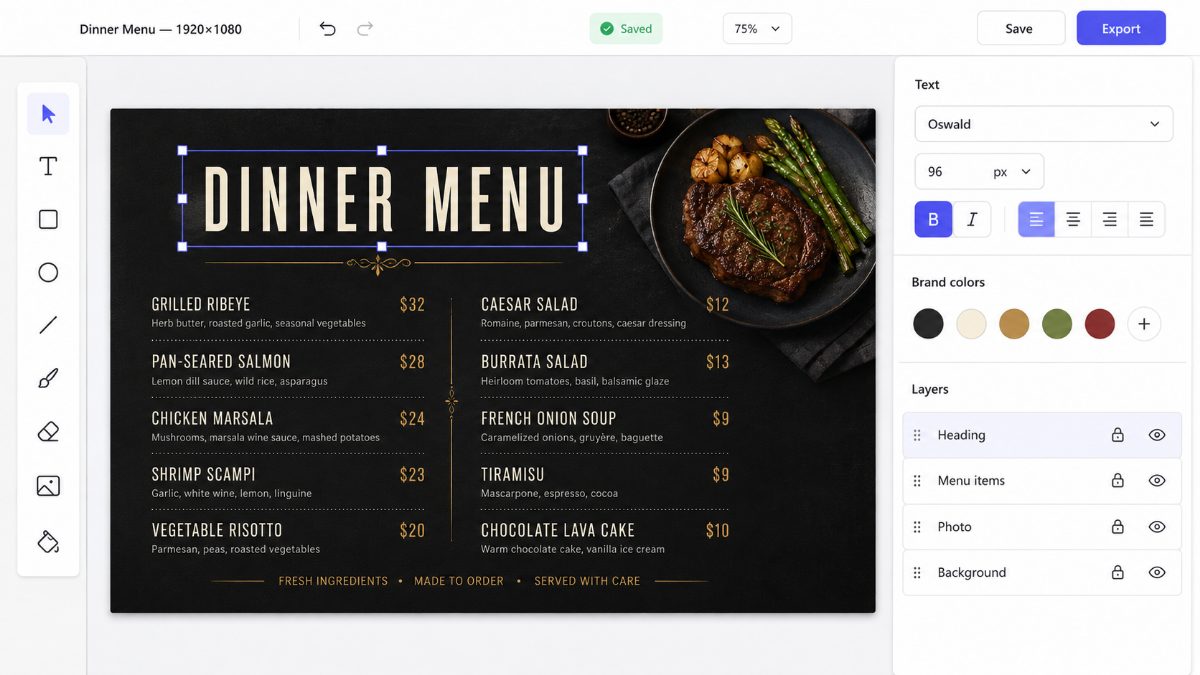
A drag-and-drop editor made for TV sizes. Text, shapes, images, layers, snapping, brand colours and fonts, starter templates. Exports at exact pixel size or goes straight to a screen.
designer.signacast.coScreens & playlists
Group designs and images into playlists, schedule them by day and time, split a screen into regions, and assign the result to each screen you own.
visuals.signacast.coPlayer
Every screen gets a link. Open it in the browser of a smart TV, a streaming stick, a Raspberry Pi or a kiosk and it plays what is assigned, even when the network drops.
play.signacast.coDesign for the screen, not for print
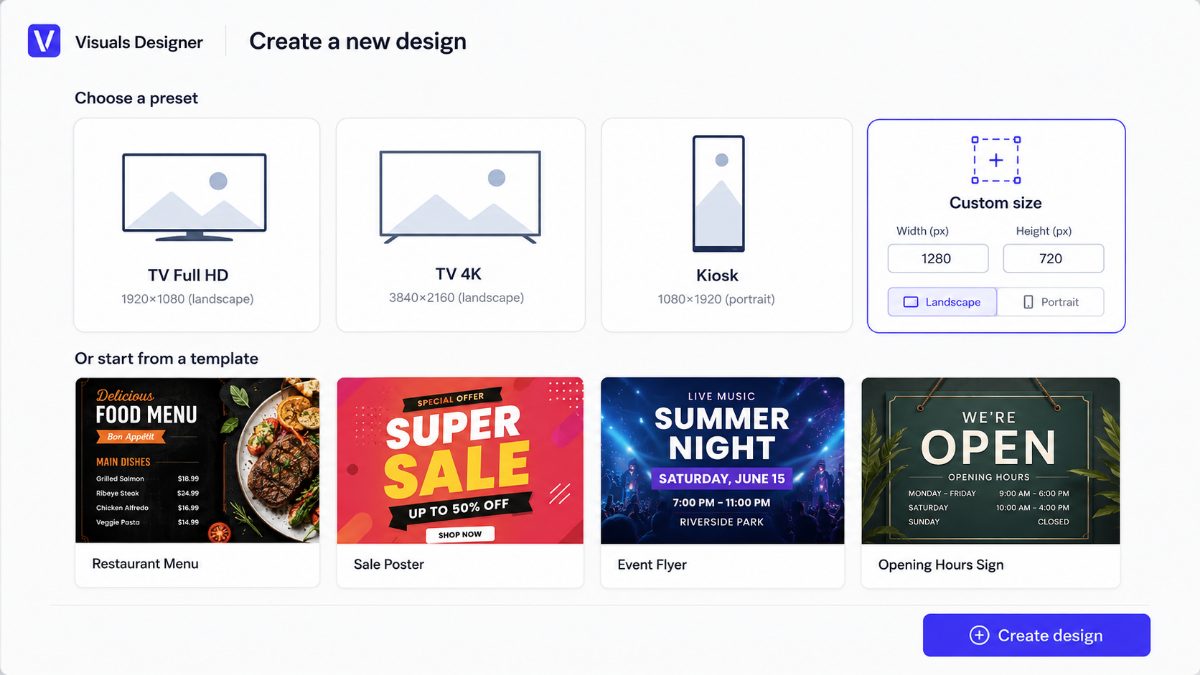
Pick Full HD, 4K, portrait kiosk or a custom size and start from a template or a blank canvas. Everything you make stays editable.
- Templates for menus, posters, flyers and opening hours.
- Brand kit: your colours, logo and a curated set of Google Fonts in every design.
- Layers, groups, snapping and guides so things line up without fiddling.
- Autosave, undo and redo, thumbnails of every design in your library.
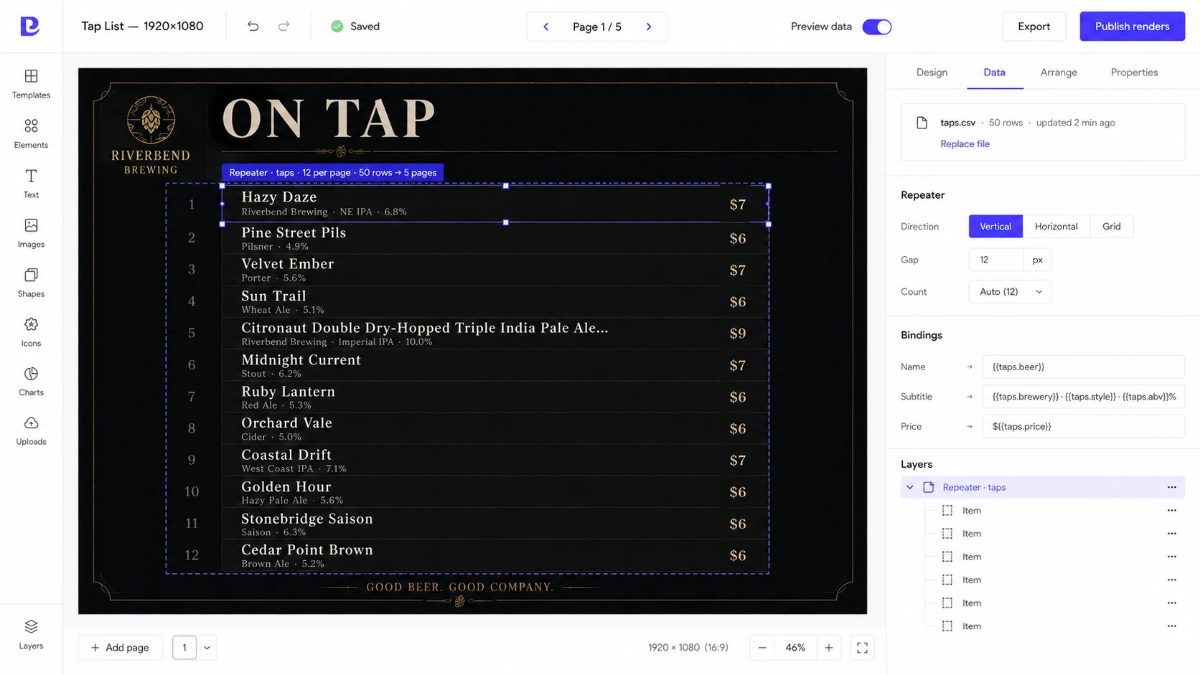
Fifty beers, one design, five pages
Upload a CSV, bind fields to text boxes and let a repeater lay out the rows. SignaCast splits them into pages, colours rows by rule and re-renders when the file changes.
- Tap lists, price lists, departure boards, leaderboards from the sheet you already keep.
- Rules such as DELAYED in red or a tag above 8 % ABV.
- Every upload is versioned; push new data over the API from your POS or a script.
Decide what plays, where, and when
Playlists with per-slide durations and crossfades. Schedules that switch by day and time. Layouts that split one screen into regions. Assign any of them to a screen.
- Playlists mix designs and images; the next slide is preloaded so changes are seamless.
- Schedules run on the screen's own clock, so breakfast ends at 11 even if the office network is slow.
- Nothing scheduled? The screen shows a quiet clock instead of an error.
30 %
Three steps to your first screen
Design or upload
Start from a template in the Designer, or upload the images you already have.
Assign to a screen
Add a screen in visuals.signacast.co, give it a playlist or a schedule, and copy its link.
Open the link on the TV
Any browser works. Press F for full screen. Updates arrive on their own; the screen keeps playing if the internet drops.
Made for the places that change their screens every day
"A real customer quote goes here once the pilot group has used it."
Name, role, businessSimple per-screen pricing
Amounts are placeholders until pricing is decided. Feature split is a proposal.
- Designer with templates and brand kit
- Playlists and schedules
- Browser player with offline copy
- Email support
- Everything in Starter
- Data-driven templates, CSV versions
- Layouts with regions
- PNG renders for image-only devices
- Data API
- Everything in Business
- SAML / OIDC single sign-on
- Custom data sources
- Priority support
Common questions
What hardware do I need?
Any screen that can open a web page: a smart TV with a browser, an Android TV or streaming stick, a Raspberry Pi, a Chrome box, a kiosk PC. You open the screen's link once and leave it. Devices that cannot run a browser, such as Roku, can show the PNG renders SignaCast produces for every page.
What happens when the internet goes down?
The player keeps the last good copy of everything assigned to the screen and keeps playing. It checks for changes every five minutes and switches as soon as it can reach us again.
Can I use the designs I already have?
Yes. Upload PNG, JPG, WEBP or SVG files to your library and put them straight into a playlist, or use them inside a design.
How does the data-driven part work?
You upload a CSV, tell the Designer which column goes where, and draw one item on the canvas. SignaCast repeats it for every row, splits the rows into pages and re-renders when you upload a new file or push one over the API.
Can my team sign in with our company accounts?
Enterprise plans connect a SAML or OIDC identity provider at sso.signacast.co. Everyone else signs in at login.signacast.co.
Your first screen can be live today.
Design it in the browser, assign it to a link, open the link on the TV.